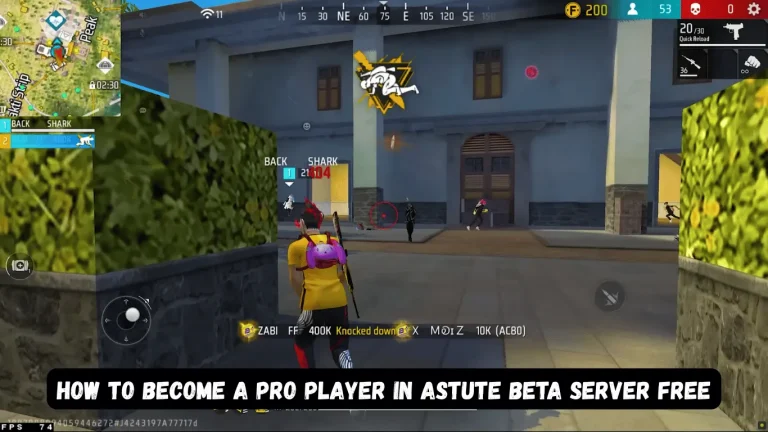
How To Reduce Lag in Astute Beta Server | Complete Guide
Playing Free Fire on the Astute Beta Server is very exciting because you can test new features before they are released. But many players face one common problem: lag. Lag makes the game slow, freezes your screen, not-installed problems, and sometimes forces the app to close. This can completely ruin the gaming experience. To help you play smoothly, this guide explains step-by-step how to reduce lag in the Astute Beta Server.
Understanding What Causes Lag
Lag happens when your device or internet cannot match the speed of the game. The Astute Beta Server is a test server, so it is not always optimized. Sometimes the server becomes full, sometimes the device is weak, and sometimes the internet connection is unstable.
When all these combine, the game starts freezing or running slowly. Before you try to fix the lag, it is important to understand that this problem is not always from your phone only. Sometimes the server itself is under maintenance or overloaded because many players are testing new features at the same time.

Check Your Internet Connection Stability
A stable internet connection is the most important requirement for reducing lag in the Astute Beta Server. Many players think that high speed is enough, but actually stability is more important than speed. If your internet keeps dropping from 4G to 3G, or if your Wi-Fi signal is weak, the game will lag even if your speed is high. You will good signals if you have an iOS device.
A simple way to test your connection is to stand close to your Wi-Fi router so the signal becomes stronger. If you are using mobile data, try to move to a place with better signal strength. Also, switching airplane mode ON and OFF can refresh your network.
Use Fast DNS Settings for Better Ping
DNS settings help your phone connect faster to servers. If your DNS is slow, your ping becomes high, and the Astute Beta Server starts lagging. You can change your DNS to a faster one, such as Google DNS or Cloudflare DNS. These DNS options help create a more stable and fast gaming experience.
On Android, you can go to Settings → Connections → Private DNS → and set it to dns.google or 1.1.1.1.cloudflare-dns.com. After saving the changes, your internet becomes more stable, which directly reduces lag in the game. This method is safe and recommended for almost all players.
Free Up RAM Before Starting the Game
One of the main reasons for lag is low RAM. If your phone has many apps running in the background, the game cannot get enough RAM to run smoothly. Before opening the Astute Beta Server, close all apps, including social media apps, browsers, and games.
You can also restart your phone, which clears temporary memory and gives fresh space for the game. This simple trick often reduces lag by more than 40%. Some players also use the built-in “RAM booster” or “Device Care” feature found in many Android phones.
Lower the Graphics Settings in the Game
Some players prefer high graphics because they look beautiful, but high graphics also increase lag, especially on devices with 2GB or 3GB RAM. To reduce lag, open the settings in the Astute Beta Server and change graphics to Smooth. Also reduce shadows, high resolution, and animations.
When your graphics are low, the game becomes lighter, and you feel fewer frame drops. Turning off High FPS mode also helps if your phone cannot handle heavy graphics. This simple change improves both the speed and stability of the game.
Ensure Enough Free Storage Space
If your phone’s storage is almost full, the game will lag even if your internet is perfect. Games need space to process files, so low storage makes everything slow. Try to keep at least 3–4 GB free storage.
You can delete old videos, unused apps, duplicate photos, and heavy files. You can also move large files to a memory card or external storage. When your phone has enough free space, the Astute Beta Server runs smoother and loads maps and graphics faster.
Disable Notifications and Background Activities
When notifications arrive while playing, the phone becomes slow for a moment. This short delay can turn into lag during gameplay. To fix this, turn on Do Not Disturb mode before starting the game. This blocks notifications from apps like WhatsApp, Facebook, SMS, and others.
Also, turn off auto-download features from apps like Telegram and WhatsApp, because these apps download files in the background and reduce your internet speed. Turning off auto-sync also helps keep your connection stable.
Update Your Device and the Game
Sometimes lag is caused by outdated software. If your phone’s system is old, it may not support the game properly. Updating your phone’s software can improve performance and compatibility. The same applies to the Astute Beta Server.
When a new update comes, install it immediately because developers fix lag, bugs, and performance issues in every update. Many players skip updates, but this small action can make a big difference in reducing lag.
Use a Game Booster for Better Optimization
Most phones today have a built-in game booster that improves gaming performance by focusing more resources on the game. It blocks background tasks, optimizes RAM, and stabilizes FPS. If your phone does not have a game booster, you can download a trusted booster from the Play Store, but make sure it is safe. A good game booster helps keep the Astute Beta Server running smoothly during intense gameplay moments.
Avoid Playing During Peak Hours
The Astute Beta Server has limited capacity, and thousands of players join to test new features. This causes server load, which increases lag. The best solution is to avoid playing during peak hours, usually evening time. If you play in the morning or late at night, the server is less crowded, and your game becomes smoother. This helps reduce ping spikes and server lag.
Restart Your Modem or Hotspot
If you have been using the same Wi-Fi or mobile hotspot for many hours, it may slow down. Restarting your modem refreshes the network connection and improves speed. If you are using mobile data, turning your hotspot off and back on can boost your internet performance. These simple actions help stabilize your connection and reduce lag significantly.
Avoid Using VPNs While Playing
Some players use VPN to access the Astute Beta Server, but VPN increases ping. High ping directly causes lag. If possible, use a direct internet connection without any VPN. This provides faster communication with the server and reduces lag by a big margin.
Try Another Network if Possible
If one network is slow, try switching to another SIM or Wi-Fi network. Some networks perform better for gaming than others. A different internet provider might give better ping and reduce lag dramatically.
Conclusion
Lag in the Astute Beta Server happens because of slow internet, low phone memory, high graphics, or server issues. To reduce lag, use a stable internet connection, close background apps, lower game graphics, and keep your device updated. Also, turn off notifications, avoid peak hours, and restart your modem if needed. Sometimes lag is from the server side, but following these easy steps helps your game run smoother and faster.